help
Is your code broken or are you a beginner? This page is here for you! If you have a question that isn't answered on this page, reach out to me on Bluesky or Twitter.
General Help
"I want to see live changes to the code I'm working on."
I highly recommend using a live code editor like CodePen, JSFiddle, Circle Journey Live Toyhouse Editor, HTML Online Viewer, or W3Schools Tryit Editor to test code and get live updates. Websites that allow code to be uploaded do not always have the best editors.
"Why does my code look different on different websites?"
Different websites have different rules for what code is allowed to be used. For example, since Art Fight has a strict whitelist (a list of allowed code), a Toy House template may not work on Art Fight. If you want to make sure your code works, check what code is allowed on the specific website you're uploading html for.
HTML Help
"What is HTML?"
HTML stands for HyperText Markup Language. It is the basic building block of every website you see online and use everyday. "Tags" is what different commands in HTML are called. They can be used to add text, images, links, and more to a website. HTML is technically not coding and is instead a "markup" language but for simplicity and consistency I will be calling it coding. If you want to learn more about HTML, visit the HTML page.
"Why isn't my image not showing up?"
- Make sure your link is in the correct place. It should look like:
<a href="LINK_HERE">
The quotes are necessary.
-
Check the image file type. Allowed image endings are usually .png, .jpg, or .gif.
If needed, change:
.jpeg to .jpg
.gifv to .gif
.webp to .jpg or .png
.svg to .png
This is because some websites only allow certain file types.
- Check the file size of the image. 3000px or above is too large. .pngs work better if they are smaller than 1500px.
Art Fight Help
"Why doesn't my code work on Art Fight but it does on other websites?"
Art Fight has a very strict whitelist for what HTML tags and CSS elements are allowed. This update is fairly new, so they may still need to test some tags and elements before allowing them on the website.
Here is a Google Doc made by Art Fight outlining what is allowed and not allowed.
Here is a list of common HTML and CSS elements that cannot be used on the website as of 5/9/2026.
HTML Not Allowed
<audio><source><iframe><center><button><marquee><select><option><script><style><link><meta><head><body><html>
CSS Not Allowed
positiontoprightbottomleftz-indexoverflowoverflow-xoverflow-yobject-fitbox-shadowtext-shadowfiltertransformtransitionopacitycursorclip-pathmix-blend-modebackground-blend-modedisplay: flex;display: grid;display: none;gapjustify-contentalign-itemsgrid-template-columns
"How do I upload HTML and CSS code to Art Fight?"
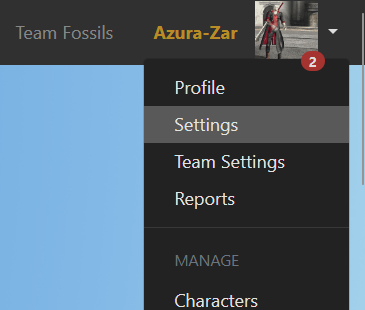
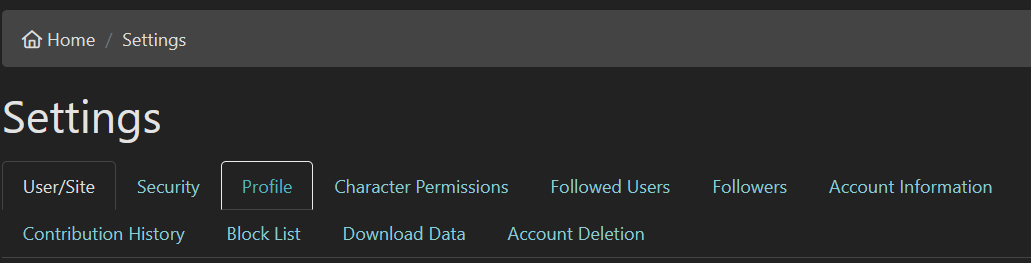
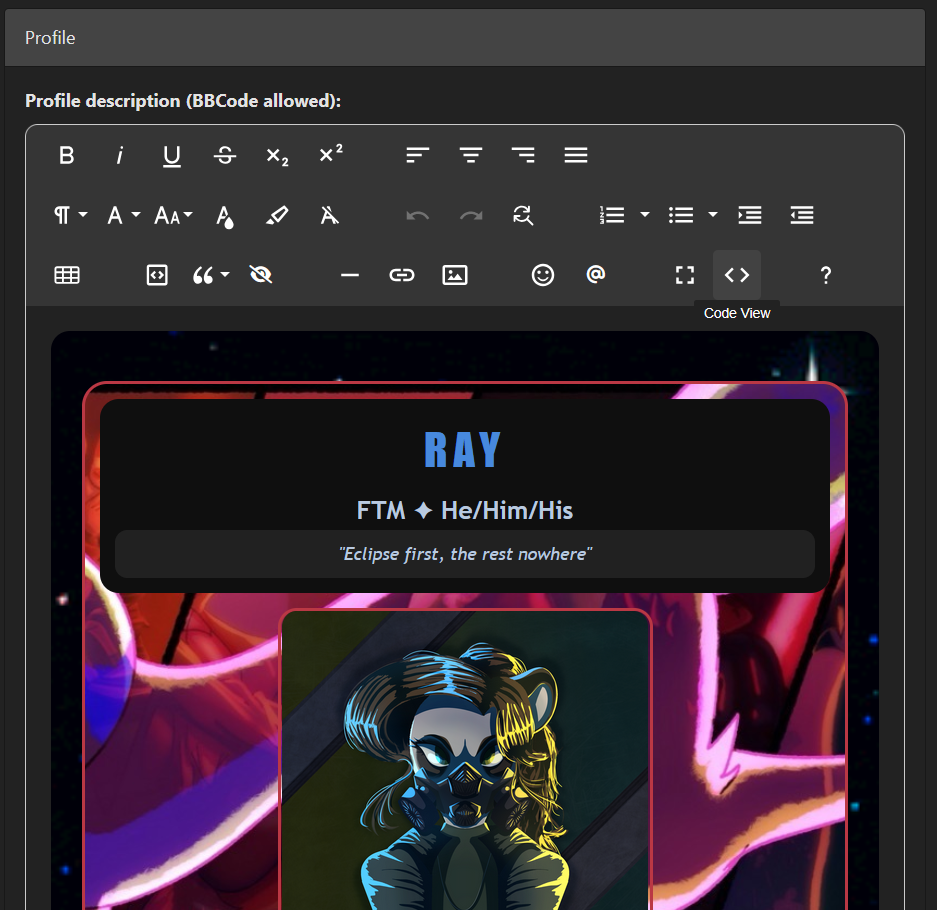
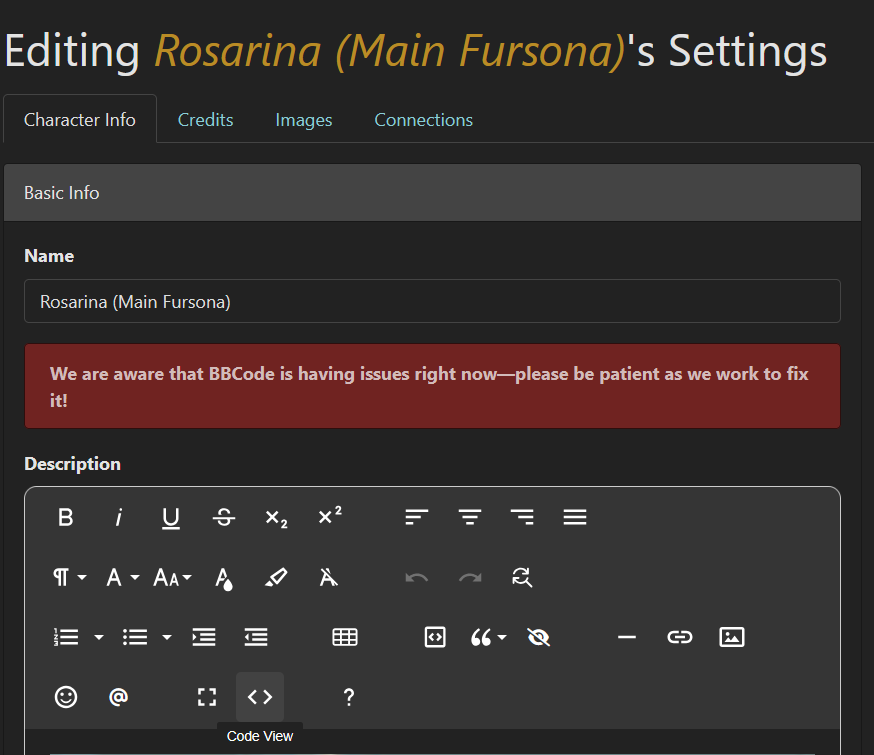
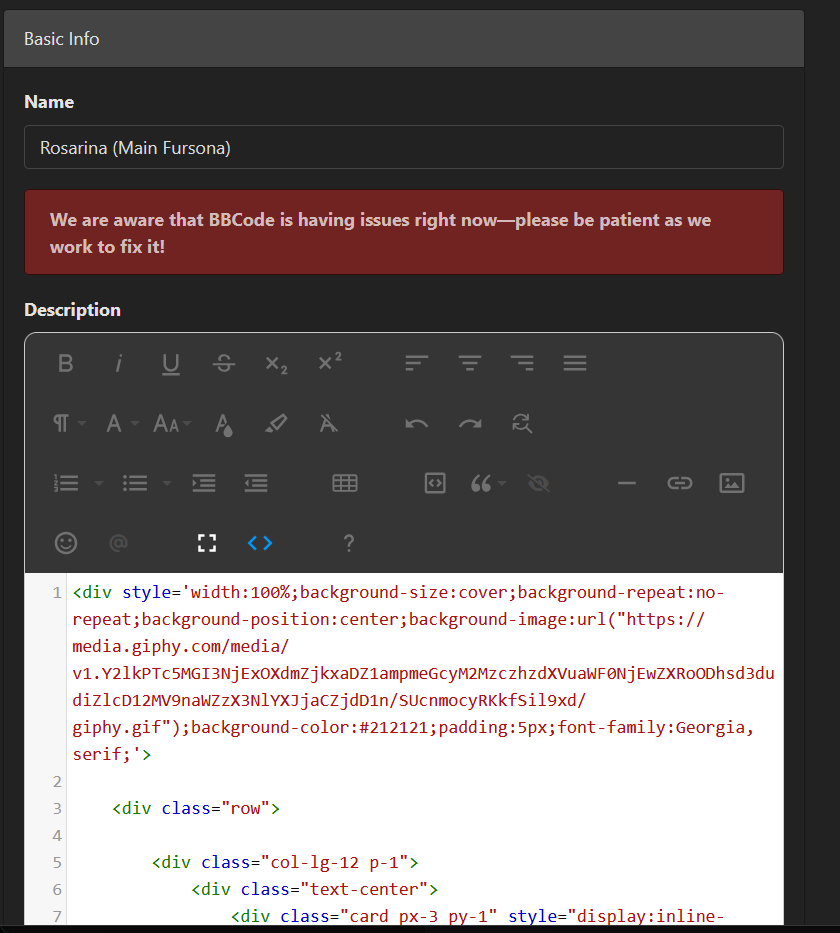
To change your profile code, click on the arrow pointing down next to your profile picture, click "Profile", scroll down to the section titled "Profile", then click the < > icon and you will be in the HTML editor.
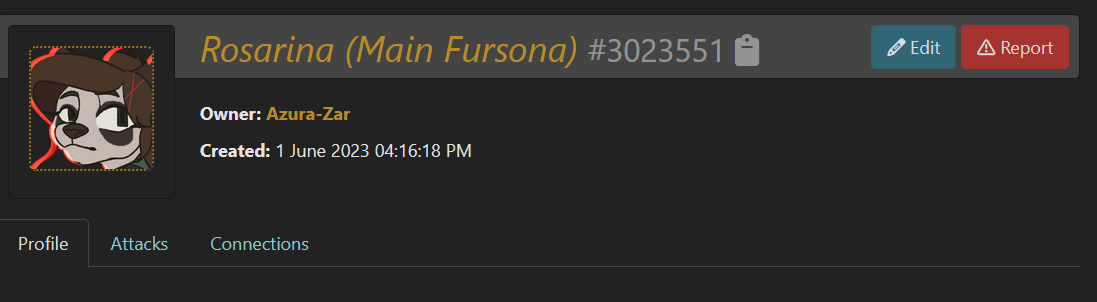
To change your character code, click on your character, click edit and click the < > icon.
"Why is my page so laggy?"
Your code may be laggy because of Art Fight's servers or your images are too large. If you have multiple 3000px pngs or above images, it can cause lag. I reccomend only using jpgs with a maximum size of 2000px or so.
"I don't know how to use CSS on Art Fight."
(This is only applicable for FREE Art Fight users)
For free users, CSS can only be used in the profile and character descriptions. It cannot be used to overhaul the look of the website when someone visits your profile, that is a premium feature.
To use CSS, you have to put it in a <style> tag. For example:
<div style="color: red;"> This text is red. </div>